Case · Custom work
SeparaFaturas
A web app that turns the scanner's PDF, with the whole batch in it, into one PDF per invoice — and sends them to TocOnline.
The brief
An accounting practice scans its clients' invoices in batches: one scanner PDF with dozens or hundreds of pages, mixing purchase invoices, sales, duplicate copies, receipts and blank backs. Splitting that by hand, invoice by invoice, and filing it in TocOnline is hours of work nobody wants to do. The brief: upload the PDF, give the client's tax number and get one invoice per PDF — without ever letting through one that isn't theirs.
What we built
A full web app: several PDFs uploaded at once, per-user queues and parallel processing, an engine that reads, groups and validates every page, and a report that says where each one went. Around it, the product: passwordless login, credits and volume plans with free invoices every month, delivery to TocOnline, email support with tickets and Telegram alerts, an admin to manage accounts and plans, and a blog with scheduled publishing.
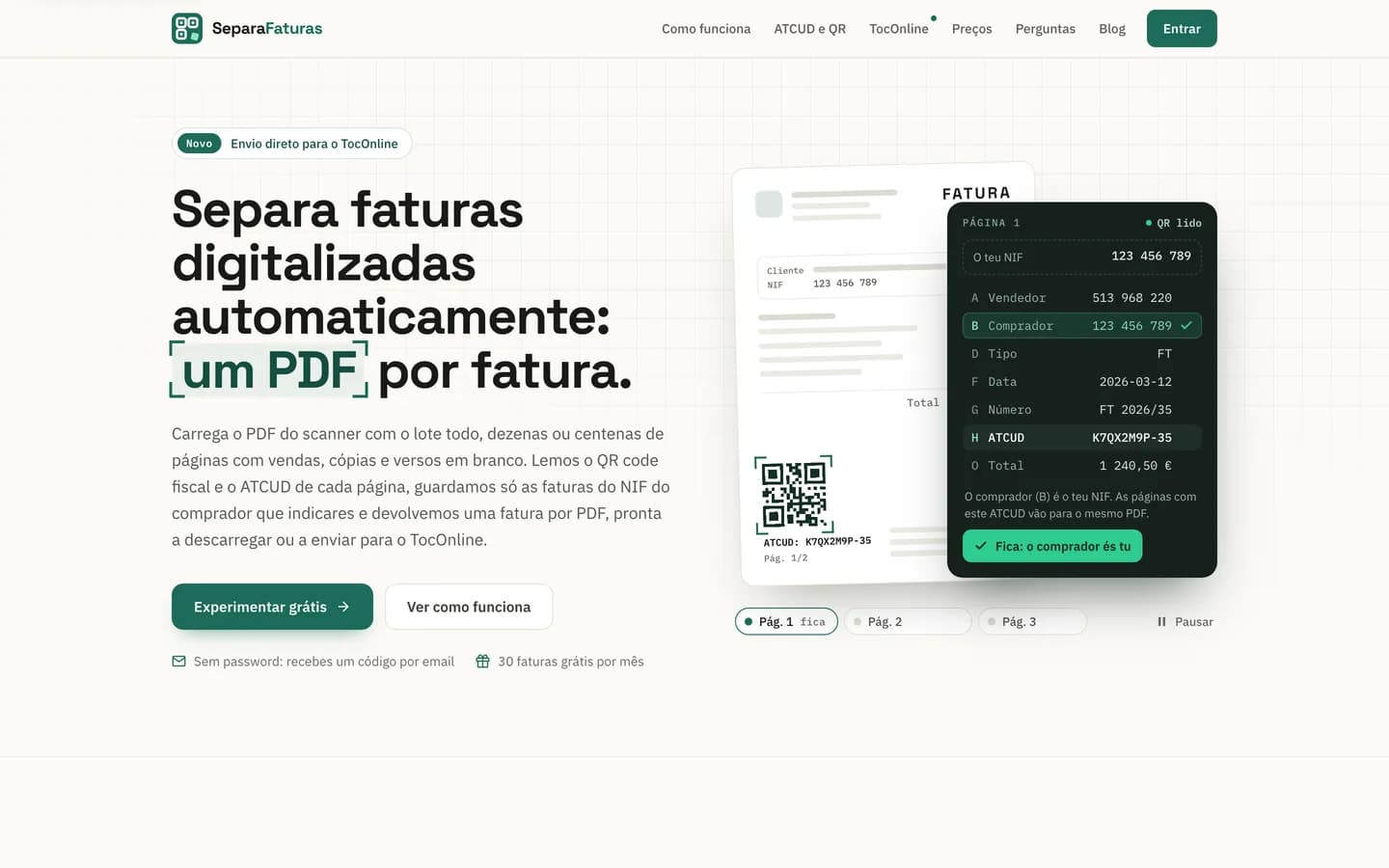
Someone arriving at SeparaFaturas has a ream of paper and the office scanner. The homepage shows straight away what happens to each page: the QR is read, the fields appear one by one, and the buyer's tax number decides whether the invoice stays. That rule lives in the code and is not up for negotiation: a page with no readable QR never comes out as an invoice automatically — when the scanner fails, a person decides on the board, and the decision is logged. The mark, three corners of a QR code with the fourth piece split off in mint, says the same without words. Around it, pages on ATCUD and the tax QR, an FAQ and a blog about TocOnline work the search traffic.
What the site includes
The QR decides, not OCR
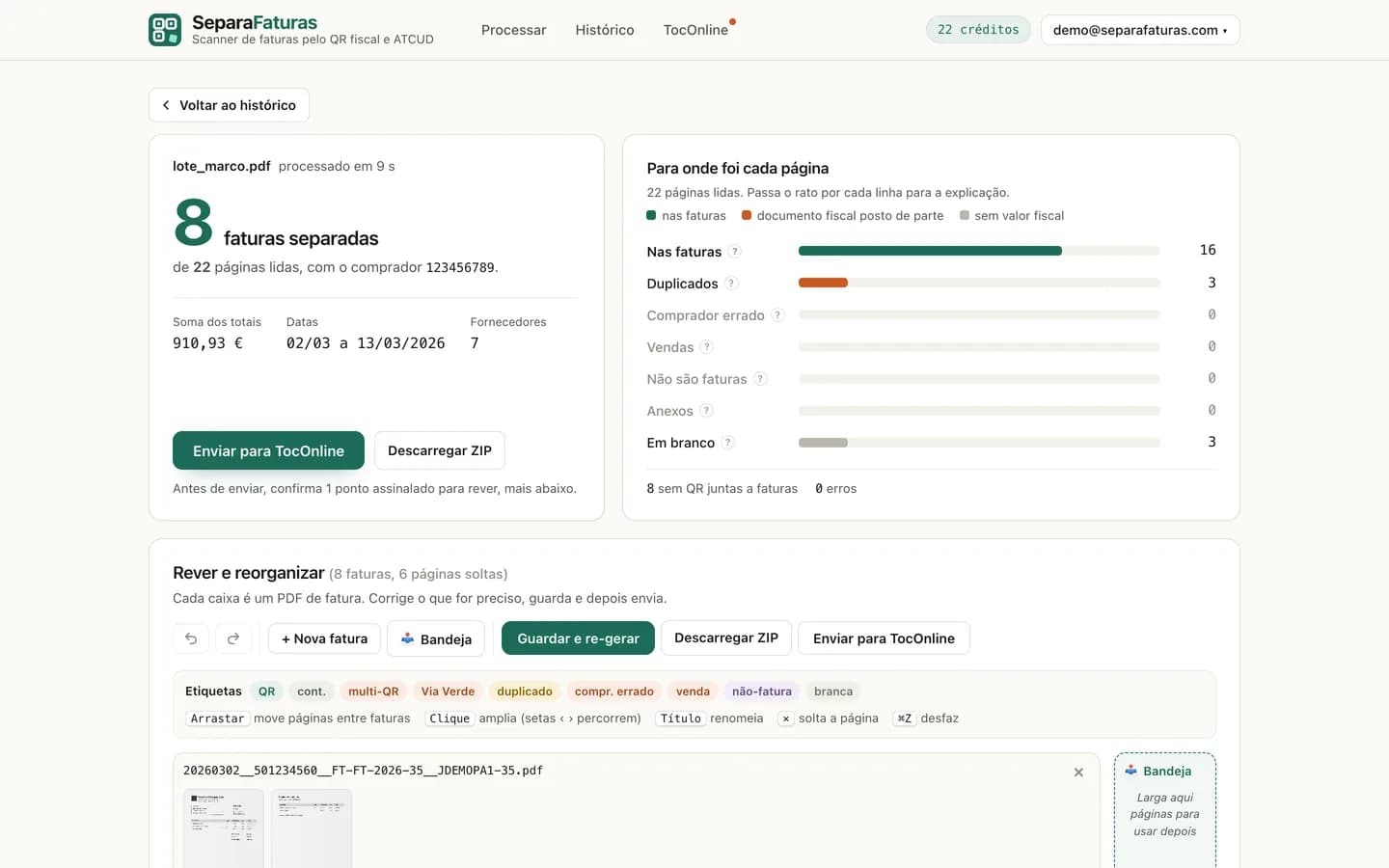
It reads the tax QR code and ATCUD on every page and only keeps the invoices whose buyer is the given tax number. Sales, the wrong buyer, copies, receipts and blank backs are left out, each with its reason. When the QR is smudged, two more readers and a high-resolution re-read get a go before it gives up.
Multi-page invoices, kept whole
It groups by the full ATCUD, spots duplicates from the image and attaches pages with no QR by the footer ATCUD, the document number or a “2/3” counter — even when the supplier prints the QR on the last page. A Via Verde toll statement comes out as a single PDF.
A board to review before sending
Thumbnails grouped by invoice: drag a page from one invoice to another, start a new invoice, park leftovers in the tray. Undo, redo and versions that are never deleted — restoring an old version doesn't spend credits again.
Straight to TocOnline
The PDFs go by email to the tax number's TocOnline inbox, in batches within its limits, from an address of each account's own — no shared passwords. Every send is logged, and a re-send only sends what failed, never the same invoice twice.
A page inside
This is not the five-minute site.
It is custom work — a shop, several pages, a specific conversion. If your business needs the same, tell us what you have in mind.
A catalogue with product pages, landings per sector, bookings, payments — what the five-minute site cannot do on its own.